
Have you ever struggled to aim in Free Fire Max? Do you feel like your opponents react much faster than you can? The secret to better aim and quicker reflexes isn’t just practice—it’s your Sensitivity Settings.
Think of sensitivity as how fast your view moves when you swipe your screen. If it’s too slow, you can’t turn around quickly. If it’s too fast, you’ll miss your shots. The problem is that the “perfect” settings are different for every phone.
As a player with over five years of experience, I’m here to help. This guide is made for beginners. I will explain what these settings mean and provide the best starting point for the 20 most popular gaming smartphones of 2026. Let’s get you set up to land those satisfying headshots and win more games!
Table of Contents
Let’s start, and we will find which FF Sensitivity Settings are best for your mobile phone!
FF Sensitivity Settings: a quick introduction
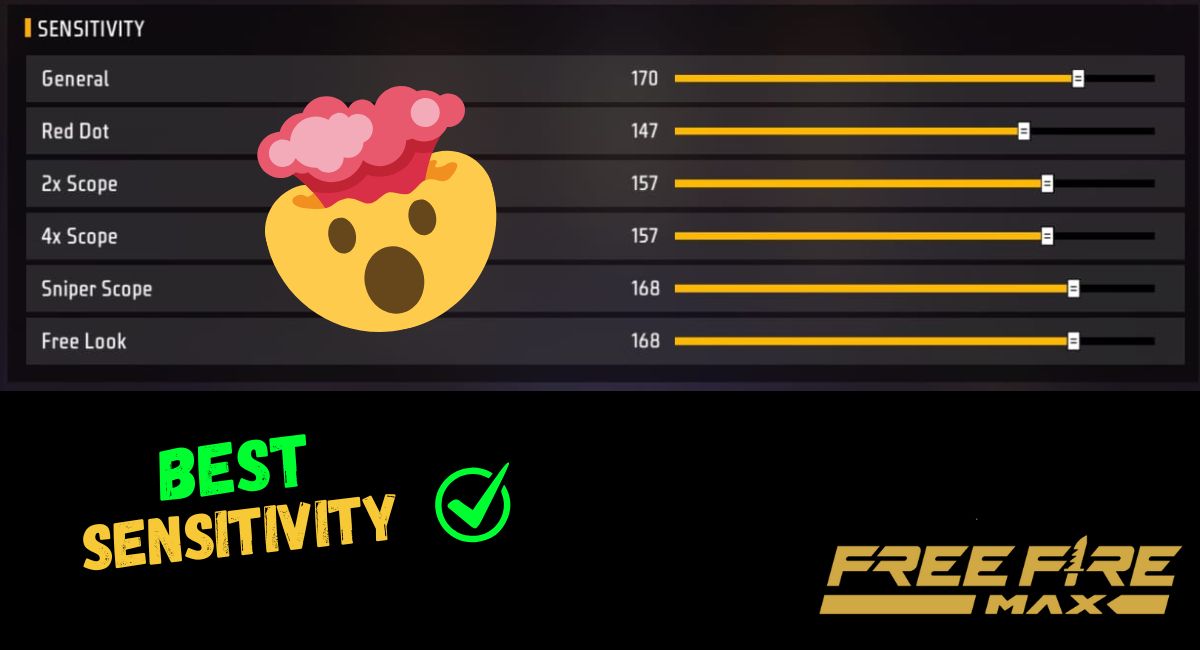
There are 6 main sensitivity settings in free fire Max.

- General: it is without scope camera moment control.
- Red Dot: it is when you use Red Dot scope.
- 2x Scope: whenever you use the X scope, it will help you.
- 4x Scope: scopes like 4x are considered in this setting.
- Sniper Scope: whenever you use a sniper, it works.
- Free Look: free look sensitivity is controlled by this.
Also Read: Free Fire Sensitivity Calculator—Free, Fast and Secure
Free Fire Pro Sensitivity Setting: For POCO, IQOO, Realme Phones
Here are the FF Sensitivity Settings for different type of phone on the basis of different criteria:
POCO X5 Sensitivity Setting
- General: 190–200
- Red Dot: 180–195
- 2x Scope: 180–190
- 4x Scope: 180–190
- Sniper Scope: 180–200
- Free Look: 190–200
iQOO Z7 FF Sensitivity Settings
- General: 180–190
- Red Dot: 175–195
- 2x Scope: 180–195
- 4x Scope: 180–190
- Sniper Scope: 180–190
- Free Look: 190–200
Realme Narzo 70x Sensitivity Setting
- General: 160–180
- Red Dot: 170–185
- 2x Scope: 170–190
- 4x Scope: 170–190
- Sniper Scope: 170–185
- Free Look: 190–200
Redmi Note 12 Free Fire Pro Sensitivity Settings
- General: 180–200
- Red Dot: 180–195
- 2x Scope: 180–190
- 4x Scope: 180–190
- Sniper Scope: 180–195
- Free Look: 190–200
Samsung Galaxy M14 Sensitivity Setting
- General: 180–190
- Red Dot: 175–185
- 2x Scope: 180–195
- 4x Scope: 180–190
- Sniper Scope: 180–190
- Free Look: 190–200
Motorola Edge 40 Sensitivity Setting
- General: 160–170
- Red Dot: 170–185
- 2x Scope: 170–190
- 4x Scope: 170–190
- Sniper Scope: 170–180
- Free Look: 190–200
iQOO Z6 Lite 5G Pro Sensitivity Setting
- General: 160–170
- Red Dot: 160–175
- 2x Scope: 160–180
- 4x Scope: 160–180
- Sniper Scope: 160–175
- Free Look: 180–190
POCO X7 Sensitivity Setting
- General: 180–200
- Red Dot: 175–190
- 2x Scope: 180–190
- 4x Scope: 180–190
- Sniper Scope: 175–190
- Free Look: 190–200
Poco M4 Pro 5G Sensitivity Setting
- General: 160–180
- Red Dot: 160–180
- 2x Scope: 160–190
- 4x Scope: 160–180
- Sniper Scope: 160–175
- Free Look: 190–200
Vivo T2 5G Sensitivity Setting
- General: 180–190
- Red Dot: 175–185
- 2x Scope: 180–195
- 4x Scope: 180–190
- Sniper Scope: 175–185
- Free Look: 190–200
Realme 11 Pro Sensitivity Setting
- General: 160–180
- Red Dot: 170–185
- 2x Scope: 170–190
- 4x Scope: 170–180
- Sniper Scope: 170–185
- Free Look: 180–200
Infinix GT 30 Sensitivity Setting
- General: 170–190
- Red Dot: 170–185
- 2x Scope: 170–190
- 4x Scope: 170–180
- Sniper Scope: 170–185
- Free Look: 180–200
Samsung Galaxy A14 5G Sensitivity Setting
- General: 180–200
- Red Dot: 180–195
- 2x Scope: 180–190
- 4x Scope: 180–190
- Sniper Scope: 180–200
- Free Look: 190–200
Oppo F23 5G Sensitivity Setting
- General: 180–190
- Red Dot: 175–185
- 2x Scope: 180–195
- 4x Scope: 180–190
- Sniper Scope: 175–185
- Free Look: 190–200
Redmi 12 5G Sensitivity Setting
- General: 160–180
- Red Dot: 170–180
- 2x Scope: 170–190
- 4x Scope: 170–180
- Sniper Scope: 170–175
- Free Look: 180–200
Realme P4 Sensitivity Setting
- General: 170–180
- Red Dot: 160–175
- 2x Scope: 160–180
- 4x Scope: 160–170
- Sniper Scope: 160–170
- Free Look: 180–190
Realme Narzo 60 Sensitivity Setting
- General: 180–190
- Red Dot: 175–185
- 2x Scope: 180–190
- 4x Scope: 180–185
- Sniper Scope: 175–185
- Free Look: 190–200
Samsung Galaxy A54 5G Sensitivity Setting
- General: 170–180
- Red Dot: 170–180
- 2x Scope: 170–190
- 4x Scope: 170–180
- Sniper Scope: 170–180
- Free Look: 180–200
Oppo Reno 8T 5G Sensitivity Setting
- General: 160–180
- Red Dot: 160–175
- 2x Scope: 160–180
- 4x Scope: 160–175
- Sniper Scope: 160–175
- Free Look: 180–190
Lava Agni 2 5G Sensitivity Setting
- General: 170–190
- Red Dot: 170–185
- 2x Scope: 170–190
- 4x Scope: 170–180
- Sniper Scope: 170–180
- Free Look: 180–200
Tecno Spark 9 Pro Sensitivity Setting
- General: 160–180
- Red Dot: 160–175
- 2x Scope: 160–185
- 4x Scope: 160–180
- Sniper Scope: 160–175
- Free Look: 180–200
Moto G73 5G Sensitivity Setting
- General: 170–180
- Red Dot: 170–180
- 2x Scope: 170–185
- 4x Scope: 170–175
- Sniper Scope: 170–175
- Free Look: 180–190
We have suggested the sensitivity of Free Fire for different mobile phones is based on the mobile RAM processor and different criteria of the mobile. Our estimation may be different from your requirement; please check before executing.
How to change Free Fire Max Sensitivity Setting
If you seriously want to hit those red-number headshots, changing your Free Fire Pro Sensitivity Settings is more than just moving a slider. You need to follow a few pro-level steps—which I’ve perfected over my 5 years of gaming experience—to get it right.
I have seen the way that I have used this to change my sensitivity.
FF Sensitivity Settings Step-by-Step guide:
If you feel that your sensitivity is good, then you are not required to change, but if you feel your sensory activities are not perfect, then you can adjust slightly to achieve perfect sensitivity.
Log in to Free Fire Max on your device with your account.
- On the home screen you have seen the ⚙️ Settings button in the top right corner; click on it!
- In the setting option, select ‘Sensitivity.’
- Where you will find these different types of options:
- General
- Red Dot
- 2x Scope
- 4x Scope
- Sniper Scope
- Free Look
- According to your phone, adjust your sensitivity as we have recommended to you.
- After completing the settings, go to the Training Ground, and test your sensitivity on the bots until you get perfect sensitivity.
Important tips
- Train yourself in the training ground: after setting the Free Fire Pro Sensitivity Settings, you have to train yourself in the training ground to get better results.
- Change according to device: if you have tested our suggested sensitivity setting and are not getting better results, you can slightly adjust +5 or -5 of the setting and then test it until you get perfect sensitivity.
Disclaimer: we have estimated the sensitivity setting according to device specifications; it may work for your device, or it may require some adjustment.
Realme 14 Pro Plus free fire West sensivity Brazilian suncity gameplay hacker jaisa
Haan! Bilkul sahi advice hai kya! ⚙️ Settings mein jaake acche se try karna padega sensitivity ko. POCO ki range 190-200, iQOO ke 180-190, Realme ke 160-180… Sabko alag-alag range diya gaya hai, jaise kya phone ka RAM hai yaar! 😂 Kya phone ka sensor ka maza lagaayega, woh hi dekh lenge! Training Ground mein bohot practice karna padega Botes ko target karne ke liye. Agar yeh sensitivity settings acche se work karayenge toh bilkul woh pro lagaayenge, nahi toh amateur hi reh jayenge! 😉free ai image generator online no signup
Free fire hack
I need unlimited diamonds in FF
Poco M6 pro 5G 4ram sensitive please please
Tell me of Samsung Galaxy s24
POCO C75 5G
Redmi not 11 настроика
Seviti
Poco M6 5G
Sensivity
Realme c53
Tenco spark 8p
Iqooz10 sensitivity
Poco x 8 pro bhai sensi
Poco m6 neo